
Soda Music guides and blog: in-depth walkthroughs by topic
A hub for our in-depth Soda Music guides - download and install, sign-up, VIP, overseas use, safety and audio quality. Open any article for step-by-step help.

All guides
All our in-depth Soda Music guides, grouped by topic: download and install, sign-up, VIP, overseas use, safety and audio quality. Open any article for step-by-step help.
The complete guide to using Soda Music overseas: sign-up, listening and top-up
Overseas use of Soda Music has three walls: verification, IP limits and payment. This article breaks down each and gives community-tested ways to handle them.
Soda Music login and missing verification code: the full troubleshooting flow
Login trouble usually comes from the phone number, network or account system. This article diagnoses verification, scan and Douyin login issues with actionable fixes.
How to get Soda Music VIP for free: ads, check-in and tasks
VIP does not have to cost money. This article explains ad-unlocked playback, daily VIP and points from check-in, and how much each saves and limits.
Soda Music sound quality, lossless and throttling explained
Audio quality and smoothness shape the experience. This article explains what free and VIP each get, the lossless threshold, and how to diagnose stutter and throttling.
Soda Music on Android: download, APK install and error fixes
On Android, Soda Music trips on channel choice, sideload permissions and install errors. This guide walks each one with concrete steps.
How to download Soda Music on iPhone: China Apple ID and install
On iOS, Soda Music ships only in the China App Store, so the key is a China Apple ID. Here are the steps to switch regions, install and use it abroad.
Is Soda Music safe: virus, privacy and permission concerns
Soda Music is a legitimate ByteDance app; safety comes down to official channels, understanding permissions and the privacy policy. We clear up common worries.
Soda Music VIP: how to subscribe, renew and cancel
VIP is optional, but the subscribe, renew and cancel rules matter. We walk each plan, how to turn off auto-renew, and expiry handling.
How to register Soda Music without a Douyin account or China number
Soda Music shares accounts with Douyin, so sign-up hinges on whether your number receives codes and passes real-name. Here are workable paths for overseas users.
What kind of app is Soda Music? What is it used for?
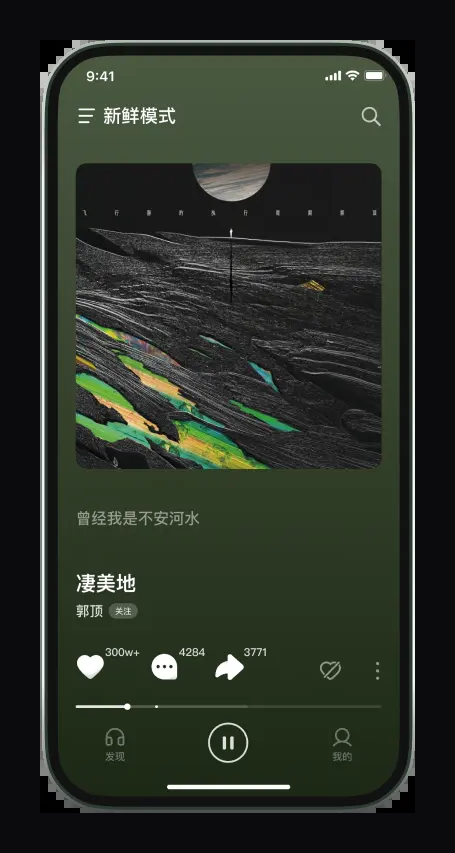
Soda Music is an online music app from ByteDance (Douyin)
It works across phones (iOS/Android) and computers (Windows/macOS official clients), and the same account can sync playlists, favorites, and playback history. It supports Simplified Chinese and English. A reminder for Southeast Asian Chinese communities: its catalog licensing mainly covers mainland China, so on an overseas IP most songs can't play due to copyright regional restrictions.
Which company actually makes Soda Music?
Soda Music is produced by Beijing Douyin Technology Co.
, Ltd., a ByteDance subsidiary, with the App Store copyright page marked (c)2022. It is the same company and same account system as Douyin, its official site is qishui.com, and its Android package name is com.luna.music. Note that it is a different product from ByteDance's overseas distribution platform SoundOn - do not confuse the two. A reminder for Southeast Asian Chinese users: the app's catalog licensing mainly covers mainland China, so under an overseas IP most songs cannot play due to copyright-based regional restrictions.
Is Soda Music officially made by Douyin? Or is it a knockoff?
It's officially made by Douyin, not a knockoff.
Soda Music is produced by 'Beijing Douyin Technology Co., Ltd.' under ByteDance, belongs to the same company as Douyin, and shares the same account system (you can log in with one tap using a Douyin account, and it syncs with Douyin music favorites); the official site is qishui.com. To avoid downloading a counterfeit package, it's best to download from the official site, the App Store China, or Tencent App Store and other legitimate channels. A note for Southeast Asian Chinese: even the official app is subject to regional licensing restrictions on an overseas IP, most songs won't play, and you need a back-to-China accelerator connected to a mainland node.
Is Soda Music a ByteDance product?
Yes. Soda Music is a product under ByteDance (Douyin)
, Ltd.', with the App Store copyright page marked ©2022, and it shares the same account system as Douyin. It's a different product from ByteDance's overseas distribution platform SoundOn - don't confuse them. A note for Southeast Asian Chinese users: precisely because it's a Douyin-family product using region-segmented licensing and IP-based region detection, most songs are blocked under an overseas IP, showing 'service is not currently supported in your region', so you need a back-to-China VPN connected to a mainland node to listen normally.
Sources: Soda Music official site · Douyin · ByteDance
Frequently asked questions
Common questions on sign-up, downloads, membership and overseas use, grouped for quick lookup.
Which is better, Soda Music or NetEase Cloud Music?
The material doesn't provide a systematic comparison of the two (needs to be confirmed by testing), so here's the judgment most relevant to your situation: Soda Music is a Douyin-family product focused on AI recommendations and Douyin's trending catalog (claiming 50 million+ licensed tracks), suited to people who like the pop songs that go viral on Douyin; but its licensing mainly covers mainland China, and the biggest drawback for Southeast Asian Chinese communities is that on an overseas IP most songs can't play due to copyright regional restrictions, requiring a back-to-China accelerator connected to a mainland node to listen. If you're often overseas and don't want to fuss with IPs, whichever you pick, first assess whether you can reliably route back to a mainland network.
Which has the more complete catalog, Soda Music or QQ Music?
The two have different positioning. Soda Music is produced by ByteDance (Douyin) and draws on the Douyin catalog, officially claiming over 50 million licensed tracks, focusing on AI recommendations and scenario-based playlists, with its strengths being Douyin trending BGM and viral short-video songs; QQ Music belongs to the Tencent ecosystem, an established large platform with deeper exclusive licensing and mainstream Chinese-language record resources. In terms of pure catalog scale and licensing exclusivity, QQ Music is usually more complete; but if you often listen to Douyin pop music and want to connect with your Douyin favorites, Soda Music is more convenient. The exact track coverage should be confirmed by actually searching on both.
Is Soda Music worth installing? What are its pros and cons?
Soda Music's pros: made by ByteDance (Douyin), it claims 50 million+ licensed tracks, its AI recommendations and scene-based playlists are well done, it connects with Douyin accounts and Douyin favorites, free users can listen all day by watching a short ad, and mainland-region membership is cheap (about ¥8/mo or ¥88/yr). Cons: the catalog's licensing mainly covers mainland China only; opening it overseas (including Southeast Asia and Hong Kong, Macau, Taiwan) shows 'music service not yet available in your current region,' and almost no songs can play; registration is also tied to the Douyin account system and leans toward +86 phone numbers. For overseas Chinese without a back-to-China network and a Chinese number, the experience is greatly diminished.
Can I download Soda Music in Hong Kong?
Downloading and being able to listen are two different things. The local App Store catalog on a Hong Kong iPhone usually doesn't have Soda Music (it's listed in the China region), so you need to switch your Apple ID to the mainland China region or log in with a China-region Apple ID before downloading; on Android you can install a domestic store like Tencent App Store or grab the installer from the official site qishui.com and sideload it. But even once it's installed, Hong Kong is judged by Soda Music as overseas, and opening it usually shows 'music service is not yet available in your current region', with nearly all songs unplayable. To listen normally, you need to route your network exit back to mainland China (a back-to-China VPN).
Can I use Soda Music in Taiwan, or will it be region-locked?
It will be region-locked. Soda Music determines your region by your access IP, Taiwan is also identified as overseas, and opening it mostly shows that the service isn't available in the current region or that the song can't play due to its licensing region, so almost no songs will play. This isn't a bug - it's by design, since licensing is granted by region and the library mainly covers mainland China only. Note: connecting to a Hong Kong or Taiwan VPN node is useless, because what Soda Music checks is whether it's a mainland IP, and both Hong Kong and Taiwan count as overseas. To listen normally, you need a back-to-China accelerator in the opposite direction, connected to a mainland China node.
I can't find Soda Music in the Singapore App Store - what should I do?
Because Soda Music is listed on the China App Store, it's normal that it doesn't appear in the local Singapore store catalog. To install it, switch your Apple ID's country/region to mainland China, or register/borrow a China Apple ID, sign in, and then download; in practice, some people first search for the app's link in a browser, tap to jump to the App Store, and then search the keyword within the China store. Reminders: before switching regions, use up your account balance and cancel subscriptions, and note the 90-day binding limit when switching IDs to download on the same device; borrowing a stranger's shared ID carries a lockout risk. After installing, you still need a mainland IP to listen normally.
Can I install Soda Music in Malaysia? Do I need a VPN?
You can install it, but you need to get the 'VPN' direction right. On Android you can install a domestic store like Tencent App Store or sideload the APK from the official site qishui.com; on iPhone you need to switch to a China region Apple ID. The key point is: even after installing, or even with a membership active, as long as your exit IP is still in Malaysia, it'll still show 'service is not available in your region' and you can't listen - membership and unlocking are two different things. To listen normally, you can't use an ordinary outbound VPN; you need a 'back-to-China accelerator' going the opposite direction, connected to a mainland China node, so Soda thinks you're in China.
Can overseas Chinese use Soda Music, or is it limited to mainland China only?
The app itself can be downloaded and installed overseas, but the music service is basically only aimed at mainland China. Soda Music determines your region by IP, so opening it overseas (including Southeast Asia, Hong Kong, Macau, and Taiwan) shows the message that music service is not yet available in your current region, and nearly all songs cannot play; the official side also provides no overseas licensed version or overseas unlock switch. For overseas Chinese to listen normally, the realistic method is to use a back-to-China accelerator to route your network exit to a mainland China node, so Soda Music recognizes you as a domestic user and then loads the catalog. Note that Hong Kong/Taiwan nodes do not count - it must be a mainland node.
I'm abroad; will Soda Music show that it's unavailable in my current region?
Very likely. Soda Music determines your region based on your access IP, and if it identifies you as outside mainland China, it shows 'music service not yet available in your current region' or 'service not currently supported in your region,' and almost no songs can be played. Southeast Asia and Hong Kong, Macau, Taiwan all trigger this; it's by design due to region-based licensing, not a malfunction. To avoid this message and listen normally, you need to route your network exit back to mainland China (a mainland node of a back-to-China accelerator/back-to-China VPN).
Does Soda Music have an overseas version or international version I can install?
There's no official overseas version or international version. Soda Music officially only acknowledges its mainland China music service, the China App Store page doesn't state overseas availability, and there's neither an official 'overseas unlock' switch nor an overseas licensing plan. Some download sites claiming to 'support Hong Kong/Macau/Taiwan, Southeast Asia, North America' conflict with the fact, from multiple independent sources, that 'opening it overseas shows service not yet available' - they're mostly third-party repackages or exaggerated marketing with low credibility. Also, ByteDance's overseas distribution platform SoundOn is a different product, so don't confuse it with Soda Music. To listen overseas, your only option is to rely on a back-to-China network.
Can I use an overseas phone number to register for Soda Music?
It will very likely get stuck. Soda Music and Douyin share the same account system, and although the registration page lists country codes from many countries to choose from, Douyin officially denied (in January 2025) opening overseas registration and still requires a +86 phone number; reporters' tests found real-name verification accepts only 5 ID types, the only one supporting foreigners being the foreigner's permanent residence permit, and foreign passports don't pass. So Chinese who only have an overseas phone number but no mainland China ID card or permanent residence permit usually get stuck at not receiving the code or failing verification. A workable community approach is to get a China phone number (a number-retention plan or a virtual number to receive codes) to register.
Can I register for Soda Music with a Hong Kong +852 phone number?
It's not reliable. Soda Music and Douyin share the same account system; although the sign-up page lets you pick country codes like +852, Douyin has officially stated it has not opened overseas registration and still goes by +86, and real-name verification accepts only 5 ID types with a foreign passport unable to pass. Whether a Hong Kong number can actually receive the verification code and complete real-name verification has no number-by-number test conclusion in public sources, so confirm it yourself by testing. Even if registration luckily succeeds, an overseas-number account may still be restricted (e.g., unable to comment or send direct messages). The more reliable approach is to register with a mainland China phone number, or register with a domestic number first and then re-bind.
Can I register for Soda Music with an email? Is it OK to not use a phone number?
No. According to the Soda Music/Douyin official privacy policy, there are only three login methods: one-tap authorization with an existing Douyin account, phone number + SMS verification code, and the carrier 'one-tap login' (reading your device's number), all of which require a phone number; there's no email registration option. If you just want to preview, you can browse and play as a guest without logging in; but to create/save playlists and favorite songs, you must log in with a phone number. Overseas Chinese communities usually need a Chinese phone number that can receive verification codes.
Can I log into Soda Music directly with WeChat?
The material does not mention WeChat login as an option. According to the official Soda Music/Douyin privacy policy, there are three login methods: one-tap authorization with an existing Douyin account, phone number plus SMS code, and carrier one-tap login. In other words, the officially provided entry points do not include WeChat login, and the account system is connected with Douyin. It is recommended to prefer logging in with a Douyin account or phone number. Whether there is a WeChat entry point should be confirmed by the actual in-app interface (needs testing to confirm).
Can I log in to Soda Music directly with a Douyin account?
Yes, and it's the smoothest way. Soda Music and Douyin share the same account system, and Soda officially supports 'one-tap authorized login with an existing Douyin account.' After logging in with a Douyin account, it can also sync with your Douyin music favorites - that's exactly why it's deeply tied to Douyin. If you already have a Douyin account, just authorize the login, skipping the phone-number verification code step. Not having a Douyin account is fine too: when you log in with a phone number, if that number hasn't registered with Douyin before, the system automatically creates a Douyin account for you.
What should I do if I can't receive the SMS verification code when registering for Soda Music?
First figure out whether it's a number problem or a regional problem. Soda Music logs in with phone number + SMS verification code, and if you use an overseas number, the common situation is not receiving the code, or receiving it but failing real-name verification (Douyin real-name has only 5 ID types, and foreign passports don't pass). You can try: checking your signal, retrying later, and confirming the country code is correct; if it still fails it's most likely your overseas number being blocked. The workable community approach is to switch to a mainland China phone number - sign up for a carrier's number-retention plan (China Mobile is about ¥8/mo), use a virtual China number to receive codes, or register with a domestic number first then re-bind the overseas number. Whether a specific country code can actually receive the code needs to be tested yourself.
I keep not receiving Soda Music's verification code - is it because overseas numbers can't get it?
It's very likely exactly the overseas-number problem. Soda Music and Douyin share the same account system, overseas registration isn't officially supported, +86 is still required, and the community also reports that overseas numbers often get an error the moment a code is requested, or even with the code can't pass verification (only 5 ID types, with foreign passports not eligible). So a purely overseas local number most likely can't get through registration. The fix: get a mainland China phone number that can receive the code - for example a carrier number-retention plan (China Mobile around ¥8/mo), a virtual China number to receive verification codes, or register with a domestic number first and then rebind your overseas number.
How do I download Soda Music on an Android phone - the app store can't find it?
Overseas Android doesn't rely on the China Google Play store, and there are two routes: (1) install a Chinese third-party app store (Tencent App Store, Wandoujia, etc.) and then search for "Soda Music" to install; (2) go directly to the official site qishui.com to download the installer (Android package name com.luna.music) and sideload it, allowing "unknown sources" in your system settings during installation. Reminder: installing is only the first step - opening it overseas usually shows "music service is not yet available in your current region" and songs won't play, so to listen normally you still need to route your network exit back to mainland China.
How do I install Soda Music on iPhone? It's not in the App Store?
Because Soda Music is listed on the China App Store, overseas local stores can't find it. To install: switch your Apple ID's country/region to mainland China, or register/borrow a China region Apple ID, log in, then go to the App Store and search 'Soda Music' to download (the developer is Beijing Douyin Technology; requires iOS 13.0 or above). Before switching regions, first use up your account balance and cancel all subscriptions; switching IDs to download on the same device has a 90-day binding limit, and borrowing a stranger's shared ID carries a device-lock risk. After installing, to listen normally overseas you still need a back-to-China network to solve the regional restriction.
Is there an official Soda Music APK to download, and is it safe?
Yes. Soda Music is produced by ByteDance's Beijing Douyin Technology Co., Ltd., its official site qishui.com provides the installation package, its Android package name is com.luna.music, and it can also be downloaded via Tencent App Store (an official distribution channel) - these two sources are relatively reliable. It is recommended to get it from trusted channels such as the official site or Tencent App Store as much as possible, and avoid dubious third-party repackaging sites (some exaggerate overseas support or bundle modifications). After installing, you will still encounter regional restrictions overseas, so you need a back-to-China network to listen normally.